

The van comes to you
Your home or venue becomes the party destination.
SUSSEX · MOBILE GAMING PARTIES
Birthday gaming parties at your door in Hastings, Bexhill and nearby Sussex towns. Their favourite games, their friends and a van full of fun.
From £2001.5 hours · Mon–Thu
For the party, up to 10 players

01 / INSIDE THE VAN
A gaming space just for their party, with blue lighting, favourite games and room for up to 10 friends to play together.
We park at your home or venue and bring the consoles, screens, controllers, power and internet.
Explore the real setup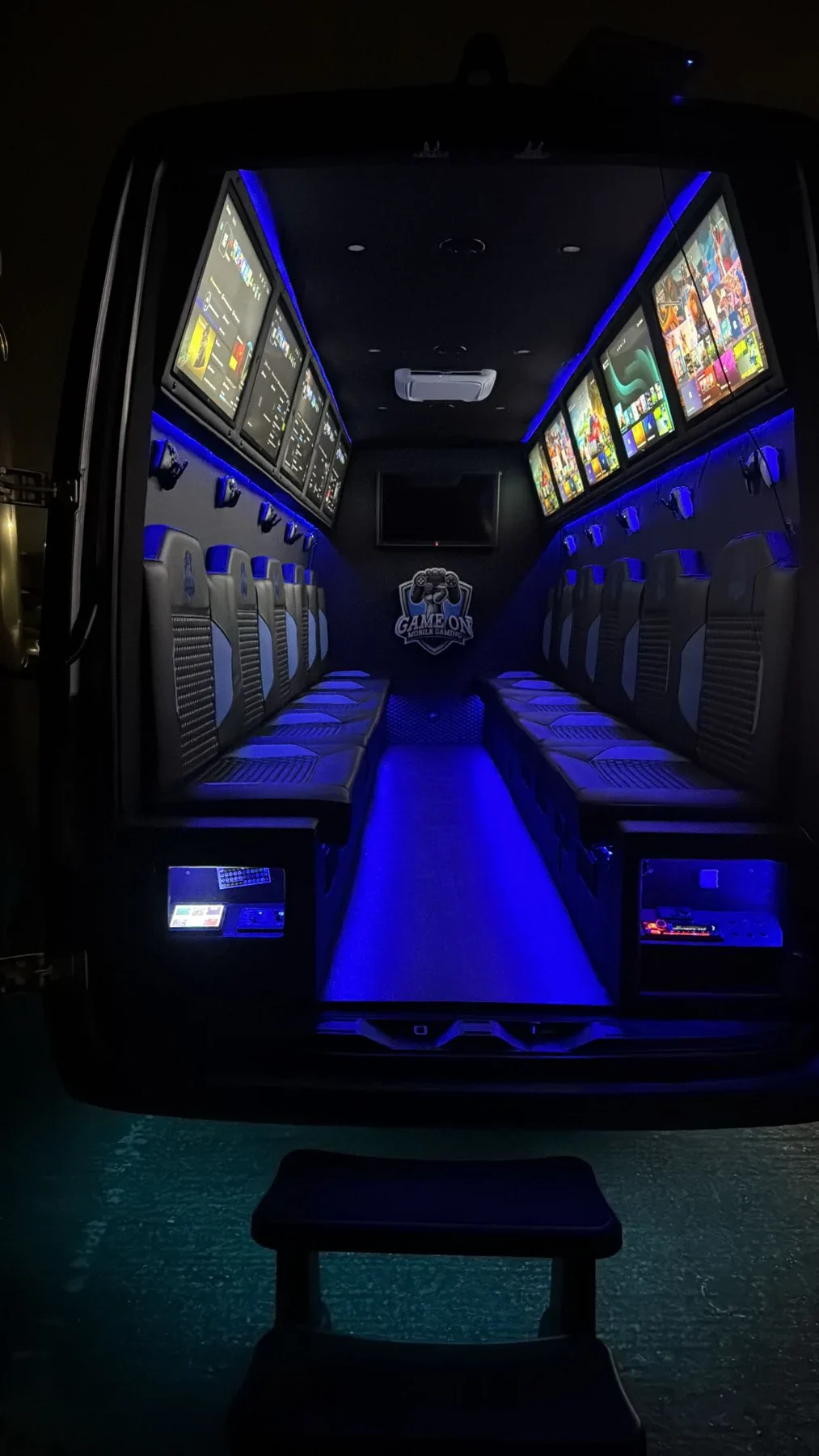
02 / WHAT’S INCLUDED
Here’s exactly what your package includes. Both session lengths get the same setup.
Your home or venue becomes the party destination.
Up to 10 players together. One price for the party.
PS5 and Xbox Series X, screens and controllers.
Choose a 1.5-hour or 2-hour gaming session.
Self-contained power and Starlink. No home Wi-Fi needed.
From TN38 9HJ. Extra travel is shown before payment.
Tell us your group’s ages and favourite games so we can discuss suitability. Talk to the team
03 / PICK YOUR PLAY TIME
1.5 hours or a little longer. A clear price for the whole party, with any extra travel shown before you pay.
Prices are for the whole party, for up to 10 players.
1.5-HOUR PARTY
£200Mon–Thu · per party
From £100 deposit
Choose 1.5 hoursPackage details2-HOUR PARTY
£250Mon–Thu · per party
From £125 deposit
Choose 2 hoursPackage detailsExtra travel may apply. Your deposit is 50% of the full total, including travel. The balance is due before the party starts. Booking terms
Planning a wedding, school or company event? Explore gaming for events

HELP WITH YOUR BOOKING
Not sure where to start? Pixel can explain the packages and guide you through your postcode, date and session to secure booking.
Up to 10 players can play together. Tell us your group’s ages and preferred games so we can discuss suitability.
No. The van has self-contained power and Starlink internet. You do not need to supply household electricity or Wi-Fi.
The first 30 driving miles from TN38 9HJ are included. Above 30 and up to 50 miles, travel is £2.50 per started mile. Longer journeys need a personal quote. Your exact postcode determines the driving distance. Arrange safe, legal parking and suitable access.
The deposit is 50% of the full confirmed total, including travel. The balance is due before the party starts.
Please arrange safe, legal parking with suitable access for the van. Discuss the location with the team before booking if space or access is limited.
READY TO PLAN THEIR PARTY?
Choose your date and see the full price.
We’ll bring the gaming to you.